

No products in the basket.
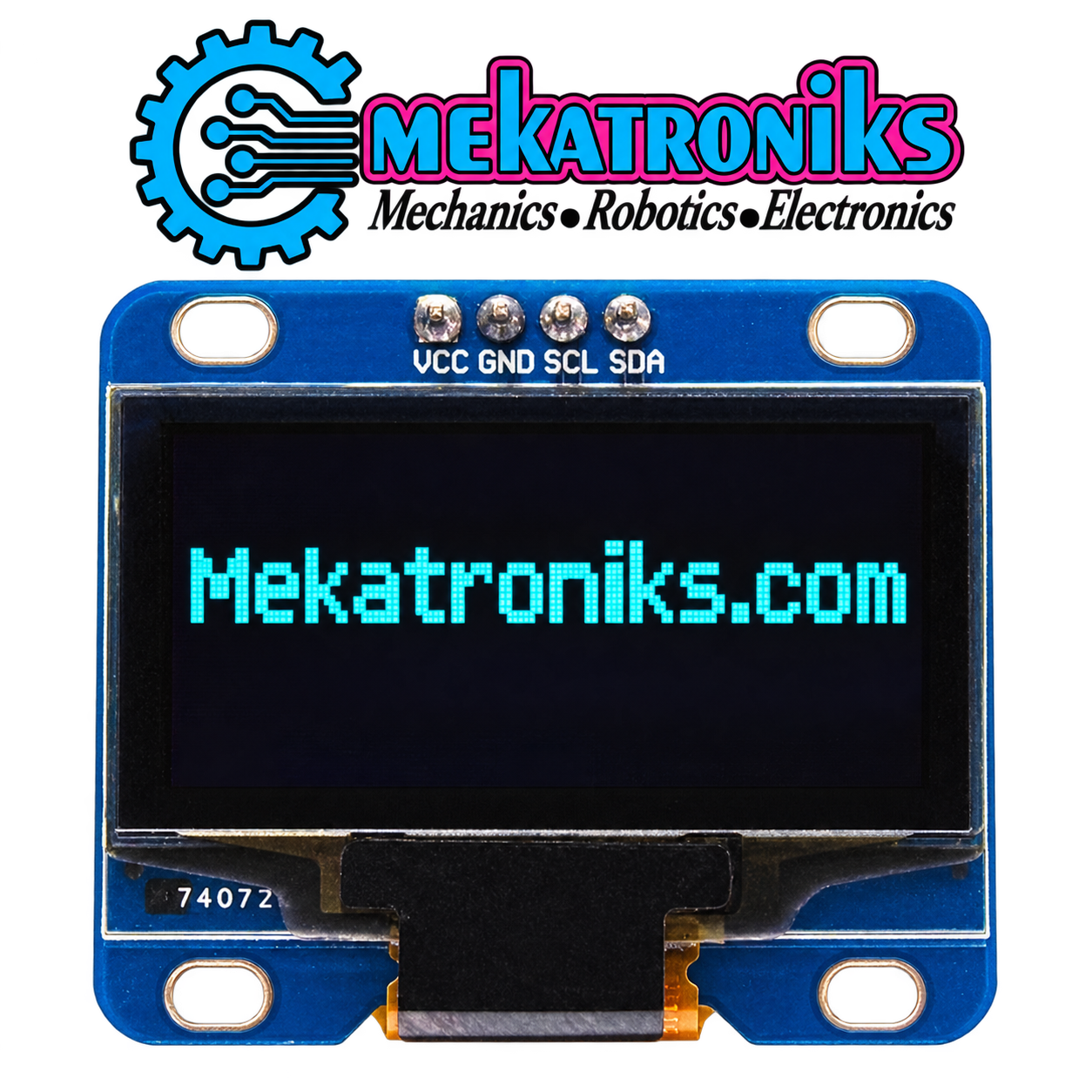


1.3 Inch I2C OLED Display for Arduino Projects
The 1.3 Inch I2C OLED Display provides a compact screen for showing information directly on your electronics project. Its 128×64-pixel resolution supports text, numbers, icons, and simple graphical layouts.
Use it to present sensor readings, display operating status, or create a basic menu. For students, hobbyists, and developers in Pakistan, it is a useful addition to projects that need an on-device visual interface.
128×64 Resolution for Clear Project Layouts
Arrange your information across the screen using a compatible graphics library. You can combine labels with numerical values or show a simple icon beside a status message.
Choose text sizes that suit the amount of information being display. Short labels and well-space readings help make the screen easier to understand during testing and everyday use.
I2C Communication
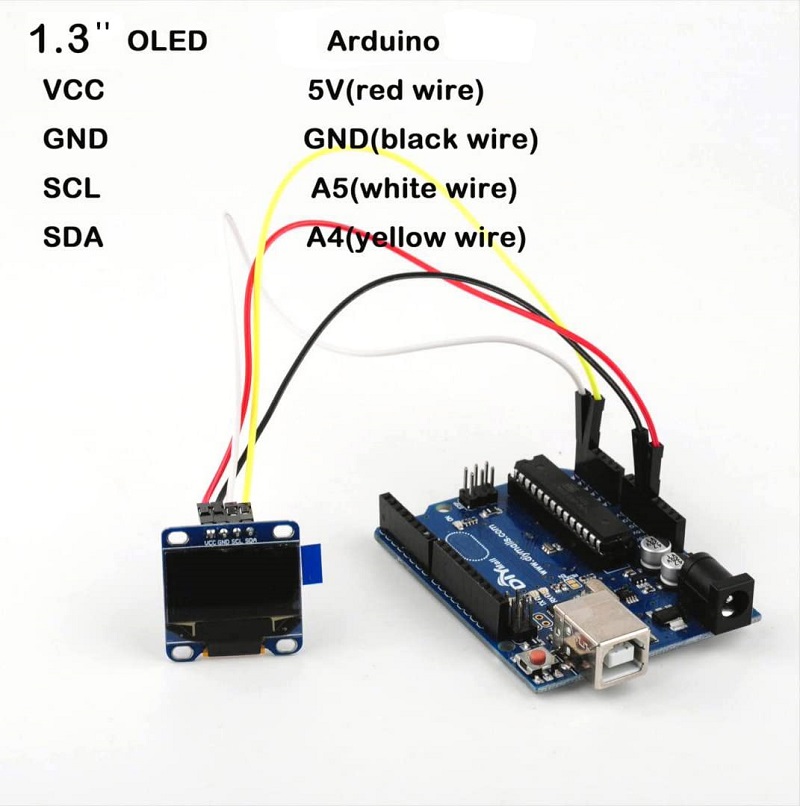
The I2C interface uses SDA and SCL signal lines for communication with a compatible controller. Connect these alongside the module’s required power and ground connections.
Check the board’s print labels before wiring. The pin order, operating voltage, and I2C address must be confirm for the supply module.
Applications of the 1.3 Inch I2C OLED Display
- Temperature and humidity monitors.
- Counters, timers, and measurement displays.
- Arduino learning projects.
- Robot status screens.
- Simple menus and control interfaces.
- School and university electronics prototypes.
The screen displays information generate by your program. Sensors and other components are select separately according to the project requirements.
Controller and Library Compatibility
Use an Arduino board with suitable I2C support and compatible electrical levels. Install a library that matches the OLED controller chip as well as the 128×64 resolution.
ESP32 and Raspberry Pi projects may also use the module when their wiring, voltage levels, and software are compatible. Screen size alone does not identify the controller chip, so verify the supply version before choosing code.
Getting Started
First, disconnect power and wire the display according to its labels. Next, configure a compatible library with the correct controller, resolution, and I2C address.
Run a basic text example before adding sensor readings or graphics. This helps confirm that the connections and software settings are correct.
Product Specifications
| Specification | Details |
|---|---|
| Display type | OLED |
| Screen size | 1.3 inch |
| Resolution | 128×64 pixels |
| Communication interface | I2C |
| Intended controller | Compatible Arduino boards |
| Display content | Text, numbers, icons, and simple graphics |
Buy a 1.3 Inch I2C OLED Display in Pakistan
Choose the 1.3 Inch I2C OLED Display from Mekatroniks for your next electronics project. Confirm the controller chip, display colour, operating voltage, and supplied accessories before ordering.
About this item
- 1.3 inch OLED display module with 128×64 resolution
- The emissive electroluminescent layer is a film of organic compound that emits light in response to an electric current
- Working without backlight, the OLED display module could give out light by itself
- The OLED screen can achieve a higher contrast ratio in low ambient light condition
- Small dimension, suitable for MP3, function cellphone, smart watch, and smart health device
Based on 0 reviews
Be the first to review “1.3 Inch I2C OLED Display 128×64 for Arduino in Pakistan”
You may also like…
- LCD Display & Lights, OLed
0.96 Inch I2C OLED Display 128×64 – 4-Pin for Arduino in Pakistan
The 0.96 Inch I2C OLED Display provides a 128×64-pixel screen for compact electronics projects. Its four-pin interface simplifies connections for power and I2C communication. Use it to show sensor readings, text, icons, and project status with a compatible controller and display library.
SKU: n/a


Related products
- LCD, LCD Display & Lights, LED Lights & Bulb, Raspberry Pi, TFT Display
10.1 inch HDMI Compatible ,LCD Display Module Capacitive Touchscreen in Pakistan
 LCD, LCD Display & Lights, LED Lights & Bulb, Raspberry Pi, TFT Display
10.1 inch HDMI Compatible ,LCD Display Module Capacitive Touchscreen in Pakistan
Add a visual interface to your project with this 10.1 inch HDMI LCD display module with capacitive touchscreen. It combines HDMI-compatible video input with touch functionality for supported systems. Use it to build an interactive dashboard, control interface or educational display.
- Screen size: 10.1 inches
- Display technology: LCD
- Video input: HDMI-compatible
- Touch technology: Capacitive
- Applications: Interactive interfaces, DIY displays and electronics prototypes
Confirm the display resolution, power requirements and touch connection compatibility with your system before ordering.
SKU: n/a - LCD, LCD Display & Lights, LED Lights & Bulb
1602 16×2 Character Green LCD Display Module in Pakistan
LCD, LCD Display & Lights, LED Lights & Bulb1602 16×2 Character Green LCD Display Module in Pakistan
About
- 16X2 Green Backlight LCD-1602 LCD Display
- Provides a 16 character X 2 line LCD
- With I2C interface for easy control by.
- 16X2 Green Backlight LCD-1602 IIC I2C
- 16-Character 2-Line are extremely common.
SKU: n/a


There are no reviews yet.