

No products in the basket.

Accessories
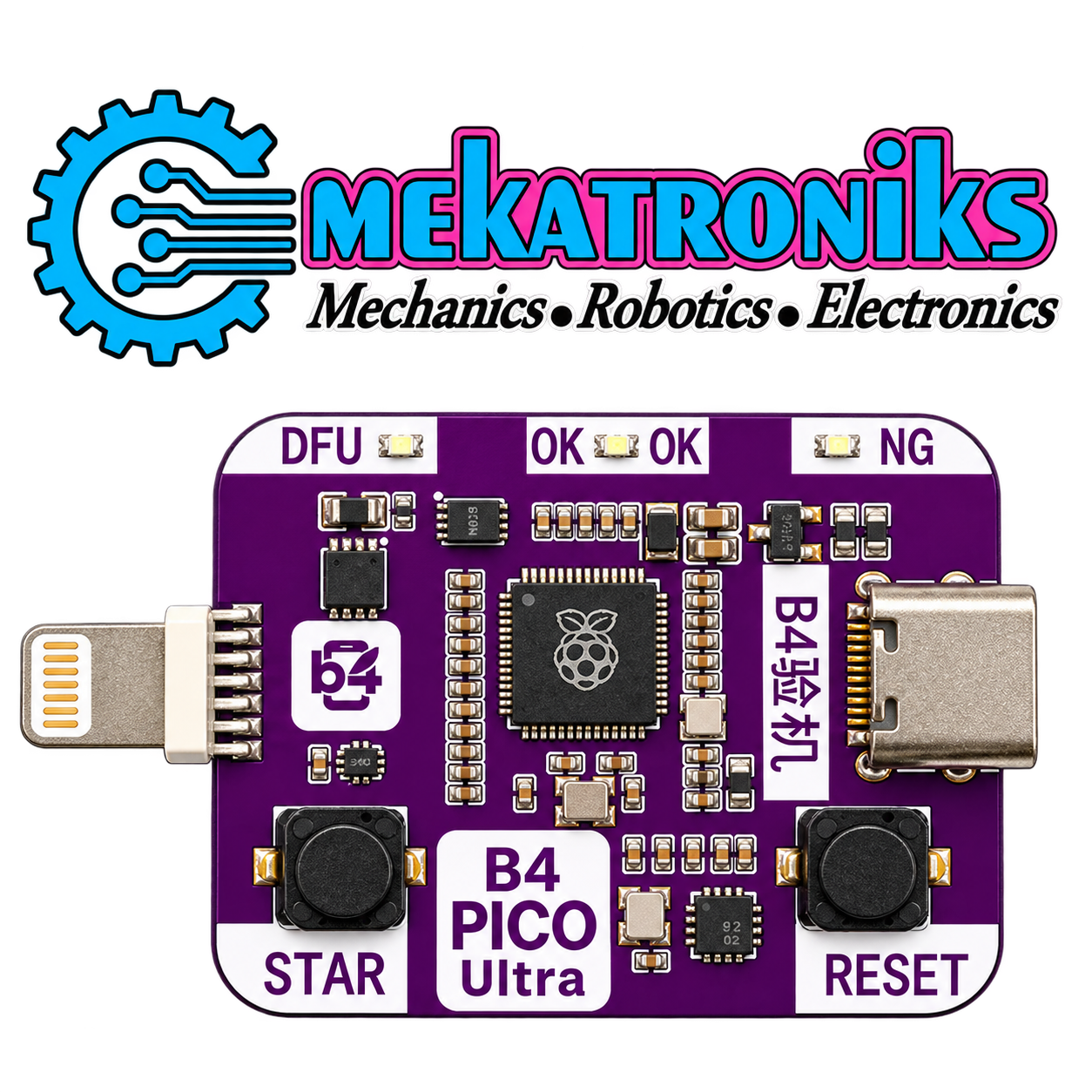
B4 PICO Ultra DFU Engineering Board – Built-In DCSD & Zero-Swap Tool for Supported A12/A13 Devices
The B4 PICO Ultra DFU Tool is an engineering board for supported A12/A13 iOS device servicing. Its built-in DCSD functionality and zero-swap connection design support compatible diagnostic and flashing workflows. Intended for experienced repair technicians, it requires confirmation of device, firmware and software compatibility before use.
₨ 2,650
B4 PICO Ultra DFU Tool for iOS Device Servicing
The B4 PICO Ultra DFU Tool is designed for technicians working on supported Apple A12/A13 devices. It provides a hardware interface for compatible DFU, diagnostic and firmware servicing workflows.
This engineering board combines built-in DCSD functionality with a zero-swap connection design. It is a specialised repair accessory for use with suitable servicing software, rather than a standalone solution for every device fault.
Built-In DCSD Functionality
Built-in DCSD integration brings the diagnostic interface into the tool itself. For supported operations, this can simplify the repair-bench setup by reducing the need for a separate external DCSD interface.
The functions available depend on the connected device, its operating state and the software being used. Confirm the requirements of your intended workflow before connecting the board.
Zero-Swap Connection Design
The zero-swap design is intended to reduce cable changes between supported servicing stages. Keeping a compatible connection in place can make the bench setup easier to manage during diagnostic and flashing work.
Follow the instructions supplied for your exact board revision. Connection requirements and supported transitions may vary with the device and software.
Compatibility with Supported A12/A13 Devices
The B4 PICO Ultra DFU Tool is intended for supported A12/A13 devices. However, chipset generation alone does not guarantee that every function will work on a particular iPhone or iPad.
Before ordering, check:
- Exact device model
- Installed iOS or iPadOS version
- Tool hardware and firmware revision
- Required computer software and drivers
- Support for the specific operation you need
These checks help you select the correct tool for your repair workflow.
Typical Applications
Depending on confirmed compatibility, the board can form part of:
- DFU-based firmware servicing
- Computer-assisted diagnostic workflows
- Firmware flashing and restoration setups
- Repair-bench device communication
- Engineering and service-mode procedures
Successful servicing also depends on the condition of the device and the capabilities of the accompanying software.
Product Details
| Feature | Details |
|---|---|
| Model | B4 PICO Ultra |
| Product type | DFU engineering board |
| Integrated feature | Built-in DCSD |
| Connection design | Zero-swap workflow for supported operations |
| Intended device family | Supported Apple A12/A13 devices |
| Intended users | Experienced mobile repair technicians |
| Software requirements | Compatible servicing software; confirm before use |
Preparation Before Servicing
Check the board’s documentation and inspect the connections before starting. Confirm that your computer recognises the tool and that the selected software supports the device and intended operation.
Back up accessible device data before restoration or flashing. Some servicing operations erase data, so establish the expected result before proceeding.
B4 PICO Ultra in Pakistan
Mekatroniks offers the B4 PICO Ultra DFU Tool for mobile repair professionals and electronics technicians in Pakistan. Its integrated DCSD interface and zero-swap design make it an option for compatible diagnostic and firmware servicing setups.
Verify your exact device and workflow requirements before choosing this engineering board.
Based on 0 reviews
Be the first to review “B4 PICO Ultra DFU Engineering Board – Built-In DCSD & Zero-Swap Tool for Supported A12/A13 Devices”
Related products
- Accessories, Camera Modules, Communication, Programmers, Programmers & Microcontroller
ESP32 CAM MB USB Programmer Board CH340G USB To Serial Port
 Accessories, Camera Modules, Communication, Programmers, Programmers & Microcontroller
ESP32 CAM MB USB Programmer Board CH340G USB To Serial Port
About
- ESP32 CAM MB Programmer Board
- CH340G USB To Serial Port
- Easy use for ESP32 CAM MB With Micro USB Port
Note:
Only Programmer Board ,,ESP32 CAM not Include.
SKU: n/a



There are no reviews yet.